All articles
How to create smart reminders
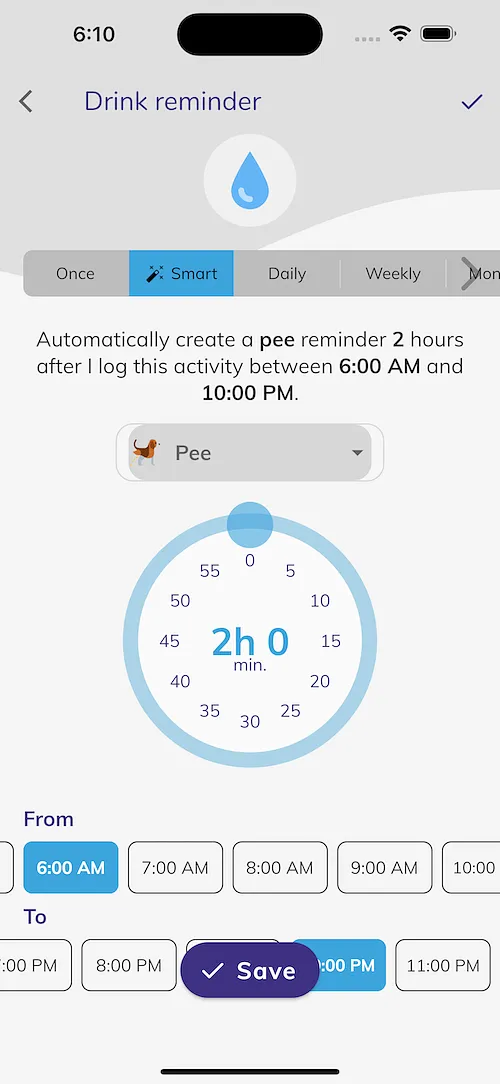
Smart reminders help you stick to a schedule by recurring automatically. For example you can set a "Food/Eat" reminder that occurs 4 hours automatically after the last event, or a "Pee" reminder that occurs 1 hour automatically after a "Drink" event.
- Tap on your dog from the main screen
- Tap on the reminders tab
- Tap on the desired activity e.g. "Drink"
- Tap on "+ Reminder"
- Select "🪄 Smart"
- Set your desired smart reminder