All articles
How to delete your account
You can delete your Doggy Time account from the app. You can't undo this.
Before you delete
- Deleting your account doesn't cancel a subscription. Cancel it first in the App Store or Google Play. See How to cancel a subscription or get a refund.
- If you only want to stop using Doggy Time on this phone, tap Sign out in the side menu instead.
Delete your account
- Tap the gear icon at the top right of the main screen.
- Tap My Account.
- Tap the three dots at the top right.
- Tap Delete.
- Under Delete Your Account?, tap Yes.
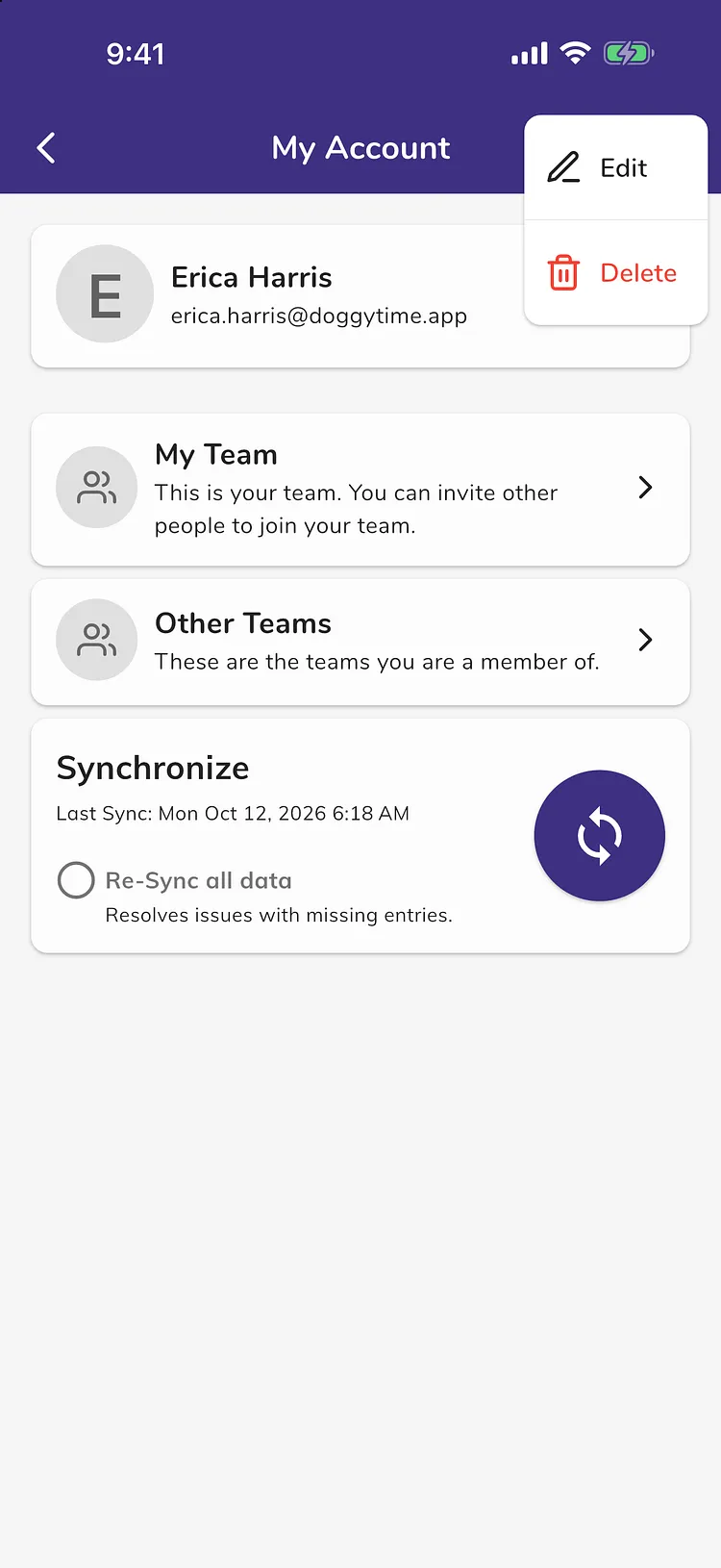
Your account is deleted and you are signed out on this phone.
Troubleshooting
- Tapping My Account asks you to sign in. You are not signed in on this phone. Sign in the same way you did before, then follow the steps again.
- Still need help? Open Help in the app and tap Contact us. Tell us the email you sign in with.